
Overview
Change your user name, contact details, role, and other information here. The My Profile page has five sections:
- Basics
- Role
- Emergency Contact
- Current Address
- Billing Address
Basics
Displays your name, email, phone number(s) and gender. Click inside any box to make changes.

Change Password link: Click to receive an email with a link to change your password.
Role
Specify your role and institution. Optionally, connect your ORCID iD and provide your advisor or supervisor’s name, if applicable.
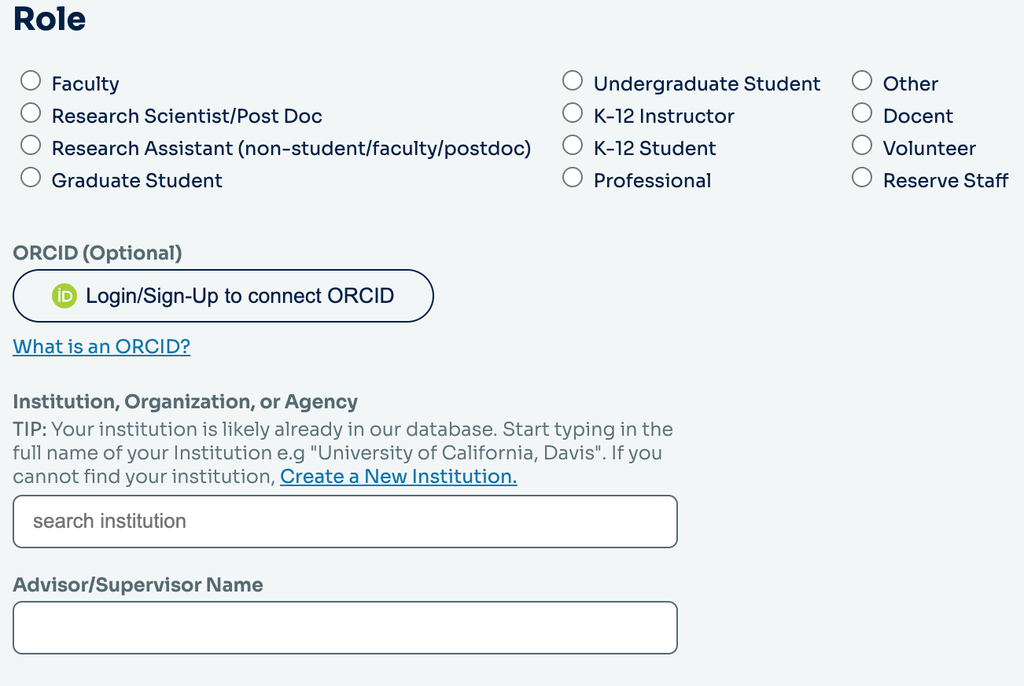
Role
Click the radio button that best describes your role. Options:
- Faculty
- Research Scientist/Post Doc
- Research Assistant (non-student/faculty/postdoc)
- Graduate Student
- Undergraduate Student
- K–12 Instructor
- K–12 Student
- Professional
- Docent
- Volunteer
- Reserve Staff
- Other
ORCID iD
If you have an ORCID iD, you can connect it to your account by selecting “Login/Sign-Up to connect ORCID.” You’ll be taken to ORCID to sign in or create an account and authorize the connection.
An ORCID iD is a unique, persistent identifier that helps distinguish you from other researchers and connect you with your research contributions.
Click “What is an ORCID?” to learn more.
Institution, Organization, or Agency
Start typing the name of your institution in the box. A drop-down menu with similar institution names will appear. Select your institution when it appears. If you cannot find your institution, click the Create a New institution link. This opens the Create a New Institution pop-up window.
Create a New Institution pop-up window
Add information about an institution not yet in the RAMS database. Fill out all applicable fields.
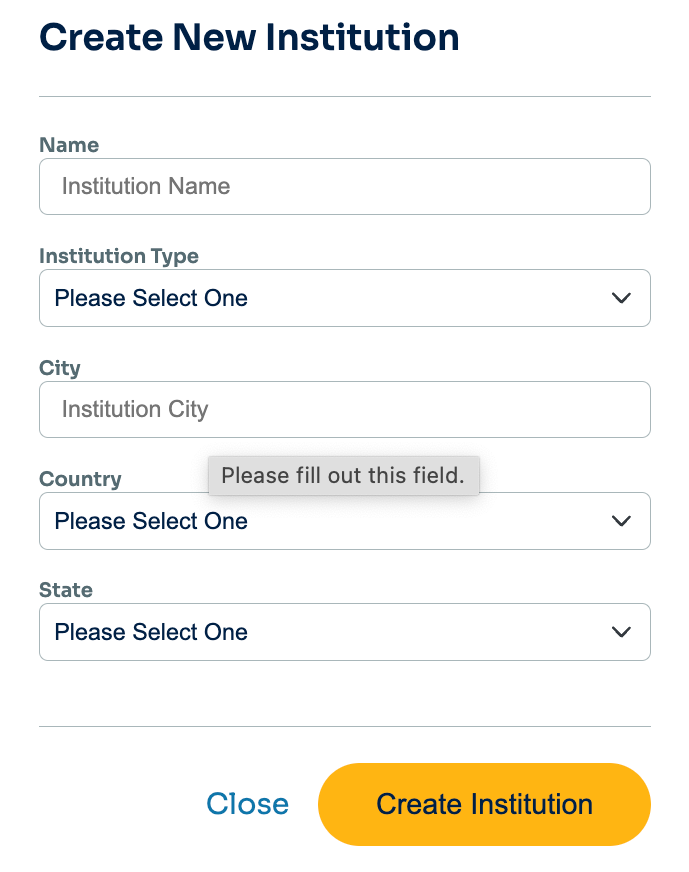
Institution Type
Use the drop-down menu to select your institution type. Options are:
- University of California
- California State University System
- California Community College
- California – Other University or College
- U.S. – University or College Outside of California
- International University or College
- K–12 Education
- Non-Governmental Organization or Non-Profit Entity
- Governmental Agency or Entity
- Business Entity
- Individual or Other Entity
Create Institution button
Click the gold Create Institution button to save your entries.
Emergency Contact
Use the text boxes to edit the name and phone number of your emergency contact.

Current Address
Use the text boxes to edit your address, city, state, and ZIP/Postcode.

Billing Address
If your billing address is the same as your address, click the “Same as current” checkbox.
If not, fill out information about where invoices should be sent.
Submit button
Click the gold Submit button to save your edits.
